How I Built an AI Agent That QA Tests Pull Requests
A Claude Code skill that automates full QA on pull requests — IDOR tests, smoke tests, multi-role scenarios, and an auto-generated bug report. No humans needed.
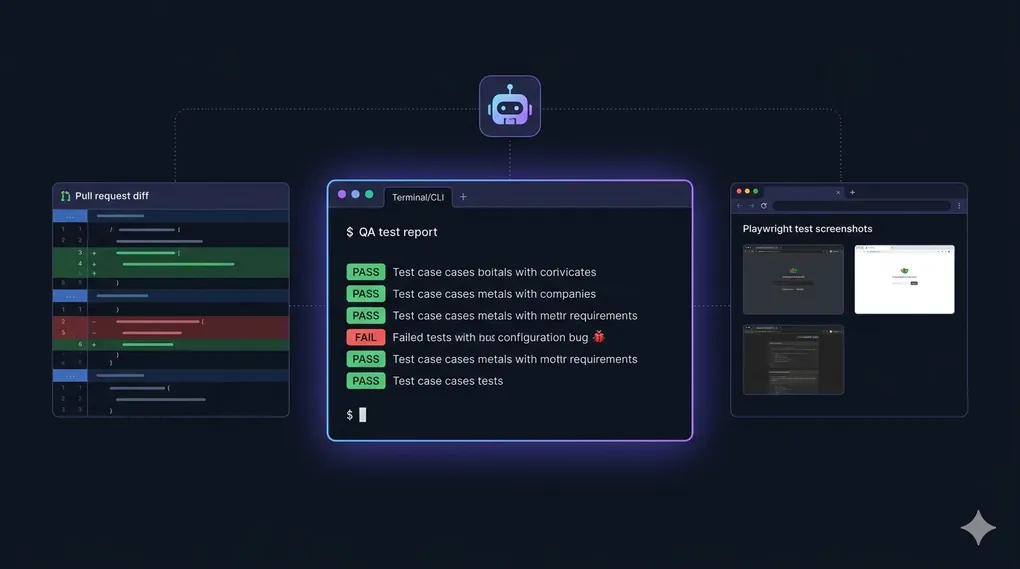
Imagine you open a Pull Request, and before a human reviewer even looks at it, an AI agent has already:
- Spun up a browser and clicked through every affected page
- Tried to access your data as a different user (IDOR testing)
- Checked that billing guards actually block free users
- Looked through server logs for hidden 500 errors
- Written a full QA report with screenshots and root cause analysis
That’s exactly what qa-test-pr does. It’s a skill I built for Claude Code — an agentic CLI that lets you give AI agents reusable “skills” for complex tasks.
Let me walk you through how it works, why I built it, and what I learned.
The Problem: QA Is Expensive and Repetitive
If you’ve worked on a growing SaaS, you know the QA bottleneck. Every PR needs someone to:
- Read the diff and figure out what changed
- Figure out what else that change might affect
- Test multiple user roles (paid, free, admin)
- Check security — can User B access User A’s data?
- Write up findings in a report
It’s not glamorous work. It’s important, time-consuming, and very repetitive. The same checks get done over and over. And when teams are moving fast, QA often gets rushed or skipped.
I wanted to automate the entire workflow — not just the “click through the UI” part, but the thinking part: understanding what the PR changes, reasoning about what could break, and making decisions about what to test.
What Is a Claude Code Skill?
Before diving into the skill itself, a quick explainer: Claude Code is Anthropic’s AI coding CLI. You run it in your terminal, and it can read files, run commands, browse the web, and use tools.
A skill is a SKILL.md file that gives the AI a detailed playbook for a specific task. When you invoke the skill, Claude reads the playbook and follows it step by step — like a very thorough senior engineer you can call on demand.
The qa-test-pr skill lives in my public repo: github.com/reduanmasud/agentic-skills
How the Skill Works
Here’s the full workflow the agent follows when you run /qa-test-pr 4214 (where 4214 is the PR number):
Step 1: Gather Context
The agent starts by actually reading the PR — not just the title, but the full diff.
gh pr view 4214
gh pr diff 4214 --name-only
gh pr diff 4214
It’s looking for:
- Which controllers, models, and routes changed
- Whether there are database migrations
- What Vue components and pages were touched
- Whether shared services or traits were modified (these affect multiple features!)
That last point is huge. If someone edits a shared BillingService used by 10 features, a naive QA run might only test the one feature mentioned in the PR. The skill explicitly tells the agent to ask: “What else does this code affect?”
Step 2: Plan Test Roles
Not all users are equal. The skill identifies which user roles are relevant to the PR:
| Role | Why It Matters |
|---|---|
| Paid user | Full access — the primary happy path |
| Free plan user | Are billing guards working? |
| Admin user | Does the Gate::before bypass expose anything? |
| Team member | Are team permissions enforced? |
| Whitelabel user | Is data properly isolated? |
The agent is required to test with at least 2 roles on every PR. If billing or permissions are touched, it tests with the specific relevant roles.
Step 3: Prepare the Environment
Before touching anything in the browser, the agent SSHes into the staging server and:
# Clear all caches
php artisan config:clear && php artisan cache:clear && php artisan route:clear && php artisan view:clear

# Run pending migrations
php artisan migrate:status
php artisan migrate
It also creates any test data it needs via Laravel Tinker, and keeps a log of every record it creates so it can clean up later.
Step 4: Run All the Tests
This is the meaty part. The agent runs 9 categories of tests:
🟢 Smoke Testing
Basic stability check — does the app load? Does login work? Are there JavaScript errors in the console? The agent uses Playwright to navigate to key pages and checks browser_console_messages after every load.
🎯 Sanity Testing
Does the specific feature from the PR actually work as described? The agent reads the PR description, then verifies the intended behavior in the browser and in the database via Tinker.
🔄 Regression Testing
Did anything that was working before now break? Authentication flows, dashboard, navigation, CRUD operations, validation rules — all checked.
🧪 Scenario Testing
Four flavors:
- Happy path — normal usage with valid inputs
- Unhappy path — invalid data, wrong formats, missing fields
- Edge cases — maximum lengths, zero values, empty strings
- Monkey testing — random chaotic inputs: emojis in name fields, SQL fragments, rapid form resubmission
🔌 API Testing
For PRs that touch API endpoints, the agent tests authentication (valid token, no token, wrong token), validation errors, pagination bounds, and error response formats.
🔐 Security Testing
This is where it gets interesting. The skill has detailed instructions for IDOR testing — Insecure Direct Object Reference, one of the most common and dangerous bugs in web apps.
The pattern:
- Log in as User A
- Find a resource URL that belongs to User A (e.g.,
/server/354/sites) - Log in as User B (different account, different team)
- Try to access that URL as User B
- Expected: 403 Forbidden
If User B gets a 200 OK and can see User A’s data, that’s a critical security bug.
The skill also checks:
- Input sanitization (XSS: does
<script>alert(1)</script>get stored raw?) - CSRF token presence on forms
- Sensitive data exposure in API responses (are tokens/passwords leaking?)
- Billing guards (do free users hit upgrade prompts, not 500 errors?)
Every security test must be documented with methodology — not just “PASS” but exactly what was tested, with what input, via which tool, and what the response was. A developer should be able to replay the exact test from the report.
⚡ Performance Observations
The agent notes pages that take over 3 seconds to load, checks Laravel logs for slow queries, and watches for excessive API calls.
Step 5: Root Cause Analysis
When the agent finds a bug, it doesn’t just report the symptom — it digs into the source code to find why it’s happening.
git log --oneline -20 -- path/to/file.php
git show <commit-hash> -- path/to/file.php
The bug report includes the file path, line number, and an explanation of the code issue. That means developers can jump straight to the fix instead of re-investigating.
Step 6: Write the Report
The agent saves a full markdown report: QA-Report-PR-4214.md. It includes:
- PR summary and test environment details
- Results for all 9 test categories
- Full bug reports with severity, root cause, reproduction steps, and screenshots
- Security test methodology table
- Performance observations
- A list of all test data created (and confirmation of cleanup)
- A final verdict: PASS / PASS WITH MINOR ISSUES / FAIL
Step 7: Clean Up
Every test record the agent created gets deleted — in reverse order to respect foreign key constraints. The report logs the cleanup status.
Installing the Skill
Global install (available in all projects):
git clone https://github.com/reduanmasud/agentic-skills.git /tmp/agentic-skills \
  && cp -r /tmp/agentic-skills/skills/qa-test-pr ~/.claude/skills/qa-test-pr \
  && rm -rf /tmp/agentic-skills
Project-level install (committed to your repo for the whole team):
mkdir -p .claude/skills
git clone https://github.com/reduanmasud/agentic-skills.git /tmp/agentic-skills
cp -r /tmp/agentic-skills/skills/qa-test-pr .claude/skills/qa-test-pr
rm -rf /tmp/agentic-skills
Then run it:
/qa-test-pr 4214The agent will ask you for staging URL, SSH access, app path, and test account credentials. After that, it runs on its own.
Requirements:
- Claude Code with Playwright MCP server configured
- SSH access to your staging server
- GitHub CLI (
gh) installed
What I Learned Building This
Writing a good skill is like writing a great runbook. The clarity required is the same — vague instructions produce vague results. The more specific the playbook, the more reliable the agent.
Agentic AI works best when it has real tools. The skill is powerful because Claude Code has real access: it can SSH into servers, run artisan commands, control a real browser with Playwright, and read actual git diffs. It’s not simulating — it’s doing.
The hardest part isn’t the testing — it’s the scoping. Cross-feature impact analysis is tricky even for senior engineers. Telling the agent to ask “what else uses this code?” and trace dependencies before starting tests was one of the most impactful additions.
Documentation-driven testing produces better reports. By forcing the security section to include methodology (not just verdicts), the reports became genuinely useful — something developers could review and act on immediately.
What’s Next
I’m planning to add more skills to the repo:
deploy-check— post-deploy validation: smoke test production after a deployperf-audit— focused performance testing with Lighthouse and slow-query detectionsecurity-audit— standalone security pass for any environment
If you’re building with Claude Code and want to contribute a skill, the repo is open: github.com/reduanmasud/agentic-skills
AI agents doing QA isn’t the future — it’s already working. The gap between “AI writes code” and “AI ships code safely” is mostly filled by reliable, automated quality checks. Skills like qa-test-pr are a step toward closing that gap.